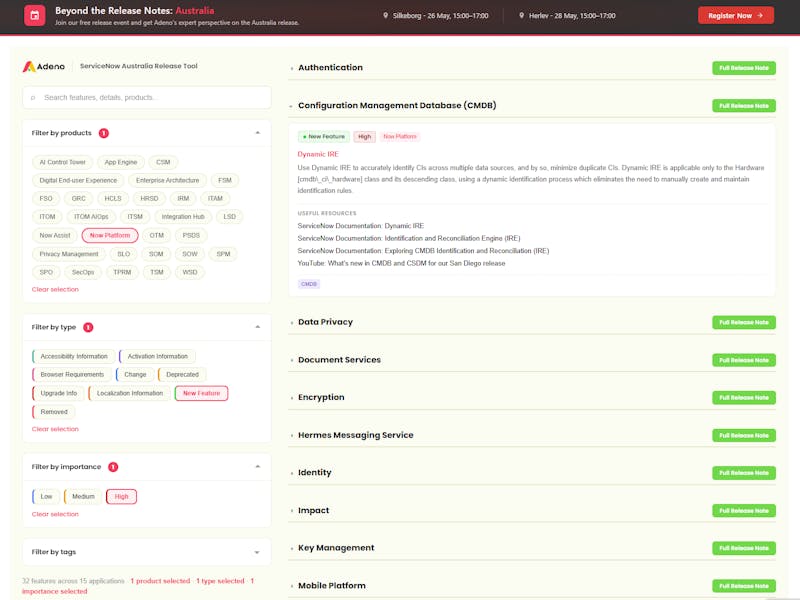
Dependency Map
Up until the Vancouver release of ServiceNow, the Dependency Map was the only option to provide a snapshot of the interconnections between CIs. With offset in a single CI, it offers a visual representation of how each CI related to others within the system, facilitating a deeper comprehension of dependencies and potential impacts of changes.
In this view, a dependency map serves as a visual representation of the dependencies between CIs within the IT infrastructure. It helps users understand the relationships and interdependencies between different components, such as servers, applications, databases, and other IT components. The dependency map typically displays nodes representing individual CIs and edges representing the relationships between them, such as “runs on,” “communicates with,” or “depends on.”
However, this view lacks presets to aid users and the ability to interact directly with CIs within the visualization.
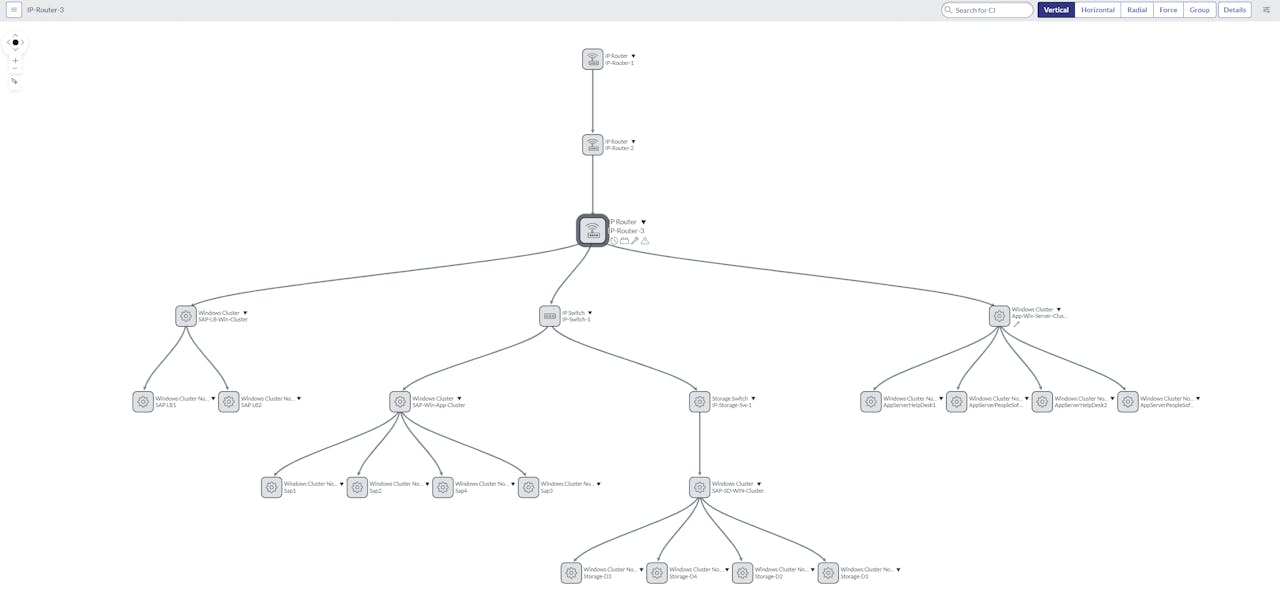
Introducing a new interface and presets for dependency view
With the Vancouver release, ServiceNow introduces a new interface aimed at enhancing user experience and functionality. This includes a preset for Node Map, known as the Unified Map, designed to streamline processes and offer extensive functionality. This is part of the ‘CMDB Workspace’ application from version 4.0 and forward.
One notable addition is the Unified Map preset within the new interface. Here, users can leverage the Node Map component to generate graphical representations stemming from individual CIs, seamlessly integrating this functionality into the new workspace environment. This integration enables users to explore issues or dependencies effortlessly.
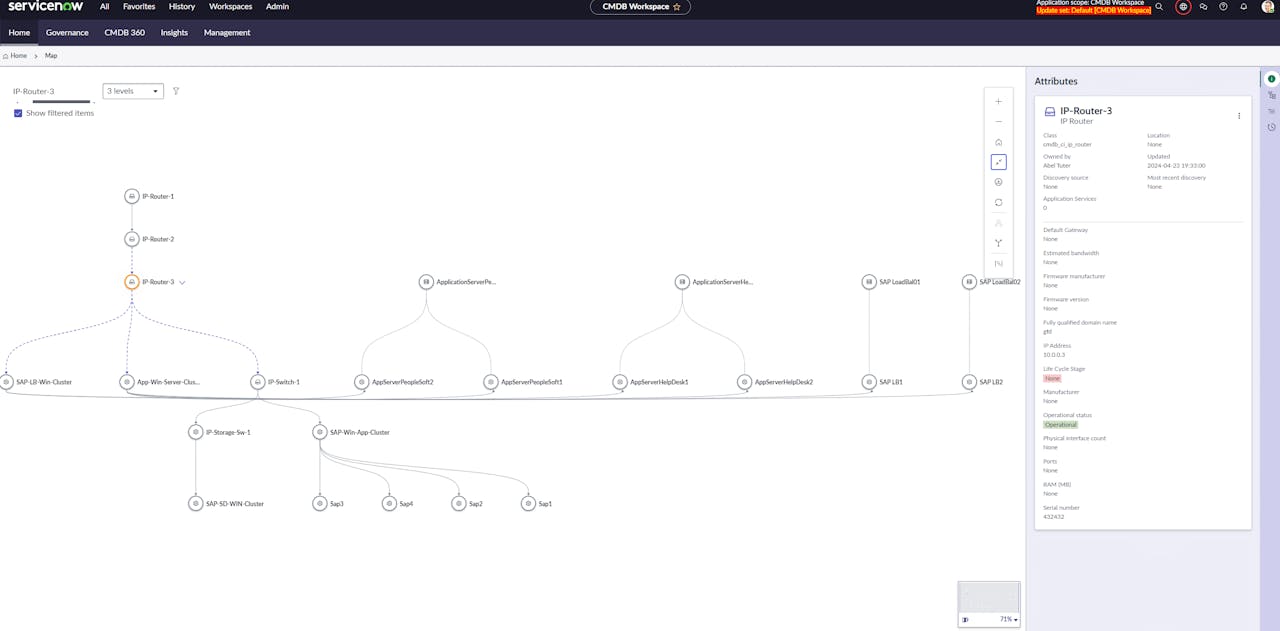
Key Features of the Unified Map
Interactive Visualization: Users can utilize features like zooming, panning, and filtering to explore relationships between CIs more effectively.
Customization: Users can customize the visualization, adjusting layout, node and edge appearance, and defining filters for specific relationships or CIs.
Integration with Data Sources: The dependency map integrates with various data sources and modules within ServiceNow, providing a comprehensive view of the IT landscape and its dependencies.
Impact Analysis: Users can perform impact analysis directly within the map, identifying potential impacts of changes or incidents on related CIs and services.
Collaboration Tools: The map includes collaboration tools for annotating, sharing insights, and collaborating on troubleshooting or decision-making processes.
The Visual Advantage
The Node Map extends beyond CMDB tasks, serving purposes like displaying organizational hierarchies. Its primary benefit lies in its visual nature, facilitating the perception of hierarchical levels, connections, and weak links within processes.
Since the Node Map is a component in the UI Builder, you have the option to leverage the visualization engine to show your own data set. See below for a customized dataset and view configuration for the same CI as selected on the above screenshot of the Unified Map.
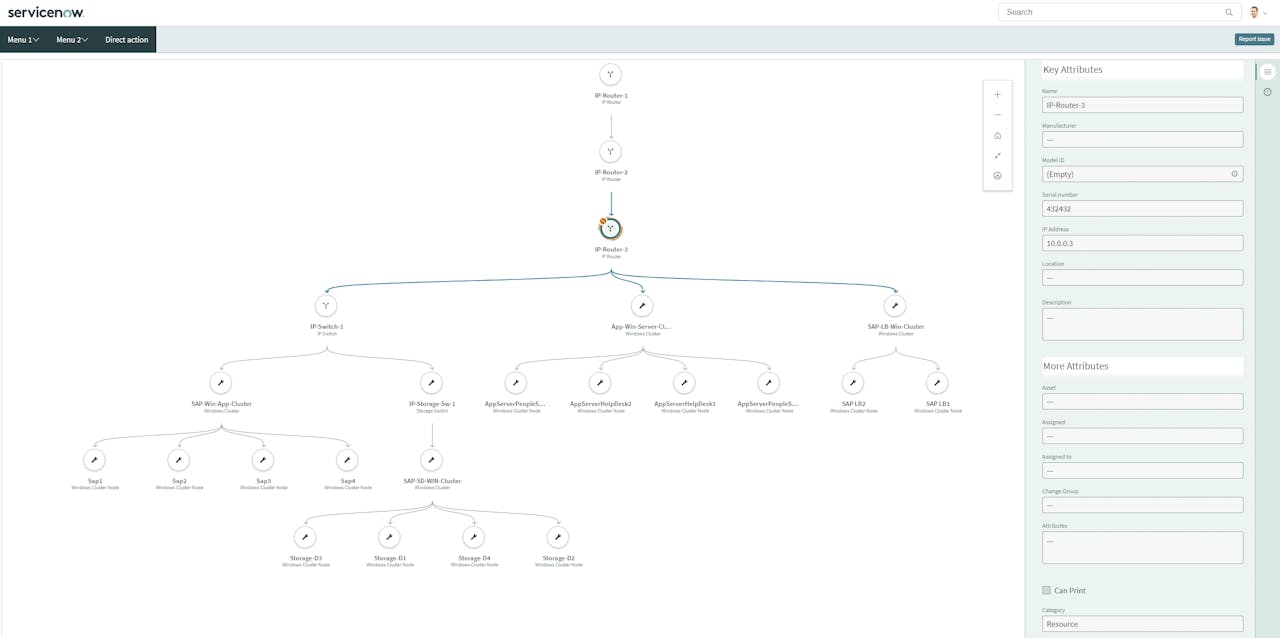
Other Use-cases for Node Map
The Node Map finds application in various domains, including configuration management, workflow automation, service catalog management, and more. Its benefits include enhanced understanding, insight discovery, improved communication, better decision-making, and enhanced collaboration.
As an example of other use-cases, the Node Map component can be used to show organization hierarchies.

As the purpose for this article was to highlight the new Unified Map preset for Node Map, I will not be exploring the further use cases for Node Map here. However, stay tuned for my next post, as I will be exploring other use cases for Node Map—specifically those related to Business Service Management, Incident Management, and Change Management.
Conclusion
In essence, the Node Map visually augments objects with additional data, empowering users to navigate complex relationships and optimize processes effectively. Whether dissecting CMDB dependencies or mapping organizational structures, the Node Map proves invaluable in enhancing workflow efficiency and understanding complex systems.